
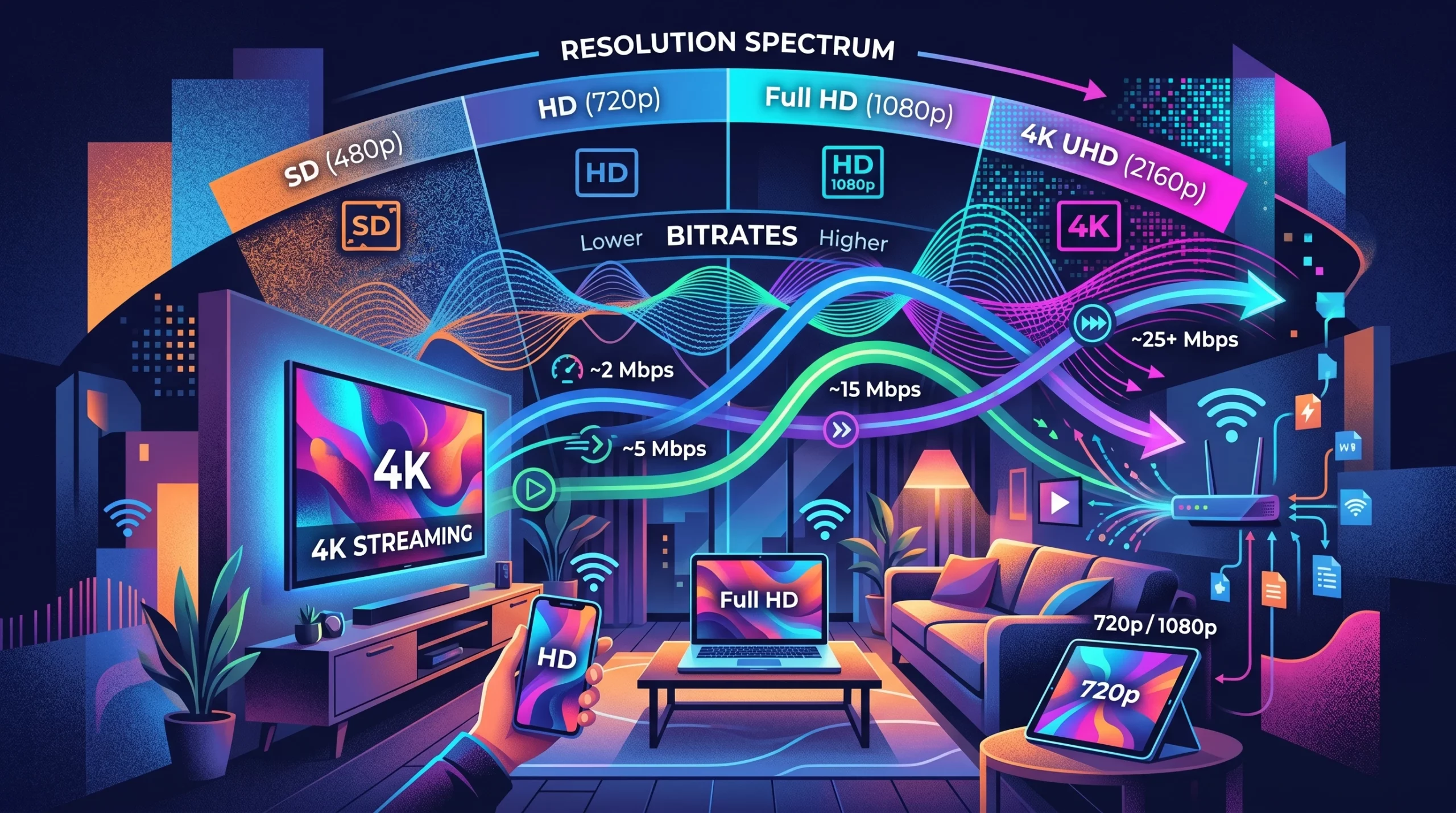
If you’ve ever squinted at a fuzzy video or waited forever for a movie to buffer, you know firsthand how streaming resolution and bitrate shape your viewing experience. These two things really decide whether your stream comes through looking crisp, like a high-quality Blu-ray, or if it reminds you of watching a VHS tape on an old TV. I’ve tested streaming performance across different devices, including smart TVs, laptops, and streaming sticks, as well as on both Wi-Fi and wired connections, to see how resolution and bitrate affect real-world viewing quality. In this guide, I’m breaking down what resolution and bitrate are, why they matter, how to pick the right settings, and what you can do to get the smoothest possible stream. It doesn’t matter what device or service you’re using; with a few simple pointers, you can really step up your streaming quality.
Streaming Resolution and Bitrate Basics
Resolution means the number of pixels in each frame of your video. More pixels mean more detail. For example, 1920×1080 pixels (Full HD or 1080p) makes for a sharp, clear image, while 3840×2160 (4K) is even sharper. Bitrate has to do with how much data your video sends each second, measured in kilobits per second (Kbps) or megabits per second (Mbps). A higher bitrate means there’s more visual information being delivered, and that translates to a clearer and smoother video, especially when things are moving fast on the screen.
If you’ve ever wondered why some streams look pixelated or you get those annoying buffering wheels, these issues usually boil down to mismatches between resolution and bitrate. Your connection might not be fast enough for the video’s bitrate, or the service compressed the stream so much that it lost quality.
How Streaming Resolution Affects Quality
Streaming resolution has a visible impact on what you see. A higher resolution gives you a sharper and more detailed image, especially on medium or large screens. But the benefits of ultrahigh resolutions, like 4K, can be lost if you’re watching on a small phone or tablet. Here’s what you’ll generally notice with different resolutions:
- 480p (SD): Looks soft and less detailed. Pretty much fine for old shows or the news, but not ideal for sports or movies.
- 720p (HD): A good boost for almost any device. Still the default for a lot of livestreams.
- 1080p (Full HD): Clear and crisp. Most modern TVs and monitors look great at this resolution.
- 4K (Ultra HD): Offers huge detail and realism, especially on large screens. Requires faster internet and compatible hardware.
If you set your stream to a higher resolution than your screen supports, you won’t get more detail—you just use more data. And if your internet can’t keep up, you may wind up with a choppy or downgraded picture.
Bitrate Recommendations for Streaming
Bitrate plays a major role in quality, but also in how well your stream runs over your internet. If it’s too low, even a 4K stream can look rough. If it’s too high, you’ll end up with buffering if your connection can’t keep up. Here’s a quick table with common recommendations:
- 480p: 1 – 2.5 Mbps
- 720p: 2.5 – 5 Mbps
- 1080p: 5 – 8 Mbps
- 4K: 15 – 25 Mbps or higher
Streaming services like Netflix, YouTube, or Twitch might use adaptive bitrate streaming. That means they will automatically adjust the bitrate up or down depending on your internet speed and device, helping you avoid buffering or sudden quality drops. These bitrate ranges are based on common recommendations used by major streaming platforms and reflect what typically delivers stable, high-quality playback in real-world conditions.
Best Streaming Settings for Quality
Picking the right mix of resolution and bitrate depends on your internet speed, your device, and what you’re watching. Here’s what works well for most people:
- For livestreams (like gaming or webinars): 720p at 3-4 Mbps or 1080p at 6-8 Mbps gives you a solid image without overwhelming most home internet connections.
- For movies and TV on TVs or monitors: 1080p at 8 Mbps really hits the sweet spot for sharp quality. If you prefer 4K, make sure you’ve got at least 20 Mbps of steady bandwidth.
- For mobile devices: 480p or 720p is usually sufficient unless your phone supports sharper screens and you’re seeking extra detail. These lower resolutions also help if you’re on data plans or unreliable networks.
Most streaming platforms let you pick or automatically adjust these settings. The big thing is to avoid going for 4K streaming on slow Wi-Fi; your stream will probably auto-downgrade the quality if it detects a slow connection.
Best Streaming Services for High Bitrate Quality
Not all streaming platforms treat your video the same way. Some are much better for high-bitrate and high-resolution content:
- Netflix: Offers 4K Ultra HD streams (with the Premium plan) at bitrates up to about 15-16 Mbps for select titles. You’ll need steady and fast internet to really see the difference.
- Amazon Prime Video: Supports 4K and uses adaptive bitrate streaming, sometimes up to 25 Mbps for certain content.
- Apple TV+: Well-known for high bitrates—sometimes pushing 30 Mbps or more for 4K HDR streaming. This makes things look eye-catching on modern TVs.
- YouTube: Great for both creators and viewers, it supports streaming up to 4K and lets you pick bitrate settings when you’re broadcasting.
- Twitch: Sports, gaming, and esports streams usually keep the bitrate at 6 Mbps or less to prioritize smoothness over maximum resolution.
What’s interesting is that two streams at the same resolution can look pretty different because of how much a service compresses the video. A higher bitrate typically means better quality, but keep in mind it will use more data.
How to Choose the Best Streaming Resolution
When I pick my streaming resolution, I go through a quick checklist:
- Screen size and type: On a 4K TV, I’ll always look for 4K streams. On a laptop or phone, 720p or 1080p is usually just right.
- Internet speed: 4K and high bitrates make no sense if my Wi-Fi is slow or spotty—in that case, I pick a lower setting for smoother viewing.
- Data caps: Streaming in 4K burns through data, so I’m careful if my plan has limits.
I also check what I’m watching. Old shows or webcam streams won’t really improve with super high resolutions. Big-budget movies or live sports, however, usually look their best in Full HD or 4K if I have the bandwidth to match.
Optimizing Streaming Quality on Your Device
Getting the best streaming experience isn’t just about picking a high resolution. Here are some handy tips that I’ve found really helpful:
- Use a wired internet connection when you can. It’s more stable and handles higher bitrates without hiccups.
- Close other apps or devices that could be using your bandwidth on the same network.
- Make sure your streaming app or device firmware is up to date. Updates can smooth out glitches or fix bugs you might not know about.
- Head to the settings menu in your streaming app (like Netflix, Prime Video, or YouTube) and manually select the highest available resolution if your connection supports it.
- Try different browsers if you’re streaming on a desktop or laptop. Some browsers (like Chrome or Edge) support higher resolutions and bitrates than others.
If I still experience buffering or low quality, I drop the resolution, pause other large downloads, or simply wait for a less busy time of day. Sometimes, peak hours put extra strain on your network—streaming late at night or early in the morning can be smoother with less online traffic. In my experience, switching from Wi-Fi to a wired Ethernet connection often makes the biggest difference, especially when streaming in 4K, where even small drops in stability can cause buffering.
Things to Know Before Streaming in High Resolution
There are a few pitfalls to keep in mind if you’re chasing the best picture quality:
- Internet stability: It’s not just about top speed—a stable connection makes a big difference. Network hiccups or dropped packets will tank your stream’s quality.
- Device compatibility: Some smart TVs or older laptops cap out at 1080p, so you won’t see full 4K quality even if your service offers it.
- ISP throttling: Some internet providers slow down streaming traffic when you use a lot of bandwidth. If that happens, check with your provider or read through your plan details.
- Data usage: Streaming several hours of 4K content each week adds up fast, especially with mobile or satellite internet plans. Keep an eye on your data limits to avoid surprises.
Bitrate and Buffering
If you’re constantly seeing buffering, it typically means the bitrate is set higher than your connection can handle. Switching to a medium bitrate almost always beats out endless buffering.
Resolution vs. Perceived Quality
Surprisingly, sometimes a 720p stream with a high bitrate can look better than a compressed 1080p stream with a low bitrate. It’s not only about resolution—the bitrate affects smoothness and detail, especially for sports or action movies.
Advanced Tips for Streaming Quality
If you’re looking to take things up a notch, here are some advanced tweaks:
Try better hardware: Upgrading your TV, streaming stick, or using external speakers can give your streams a nice boost, even on a so-so internet connection.
Enable HDR and surround sound: If your show or movie supports features like HDR (high dynamic range) or Dolby Atmos, turning these on can step up the experience big time—colors and sound become more jaw-dropping.
Change your router’s settings: Setting up Quality of Service (QoS) can prioritize video traffic, giving your streams a smoother ride over home Wi-Fi and crowding out less important data.
Thanks to these tips, streaming in high quality is pretty doable—even with midlevel internet speed. Learning to make a few small adjustments can mean the difference between a blurry mess and a beautiful stream.
Frequently Asked Questions
Question: What’s more important, bitrate or resolution?
Answer: Both matter, but bitrate often plays a bigger role in keeping your video smooth and clear. High resolution with low bitrate can still look bad, so try to balance the two.
Question: Do streaming services always use the highest settings?
Answer: Not always. Most services auto-adjust the quality to fit your connection. You can usually choose a higher or lower resolution in your app settings if you want.
Question: Will 4K streaming work on Wi-Fi?
Answer: It can, but your Wi-Fi needs to be strong. Having too many devices on the same network will slow things down.
Wrapping up on Streaming Resolution and Bitrate
Understanding the difference between resolution vs bitrate is key if you want to improve streaming quality without unnecessary buffering or wasted data. Getting the best quality from your favorite streaming services comes down to matching your device, internet connection, and playback settings correctly. If you want to optimize your setup even further, check out our complete streaming guide for the best viewing experience, and if you still run into lag or buffering, our troubleshooting guide can help you fix common streaming issues quickly. Now that you know how resolution and bitrate work together, you’re ready to enjoy smoother, sharper streams without the blurry buffer-fest.