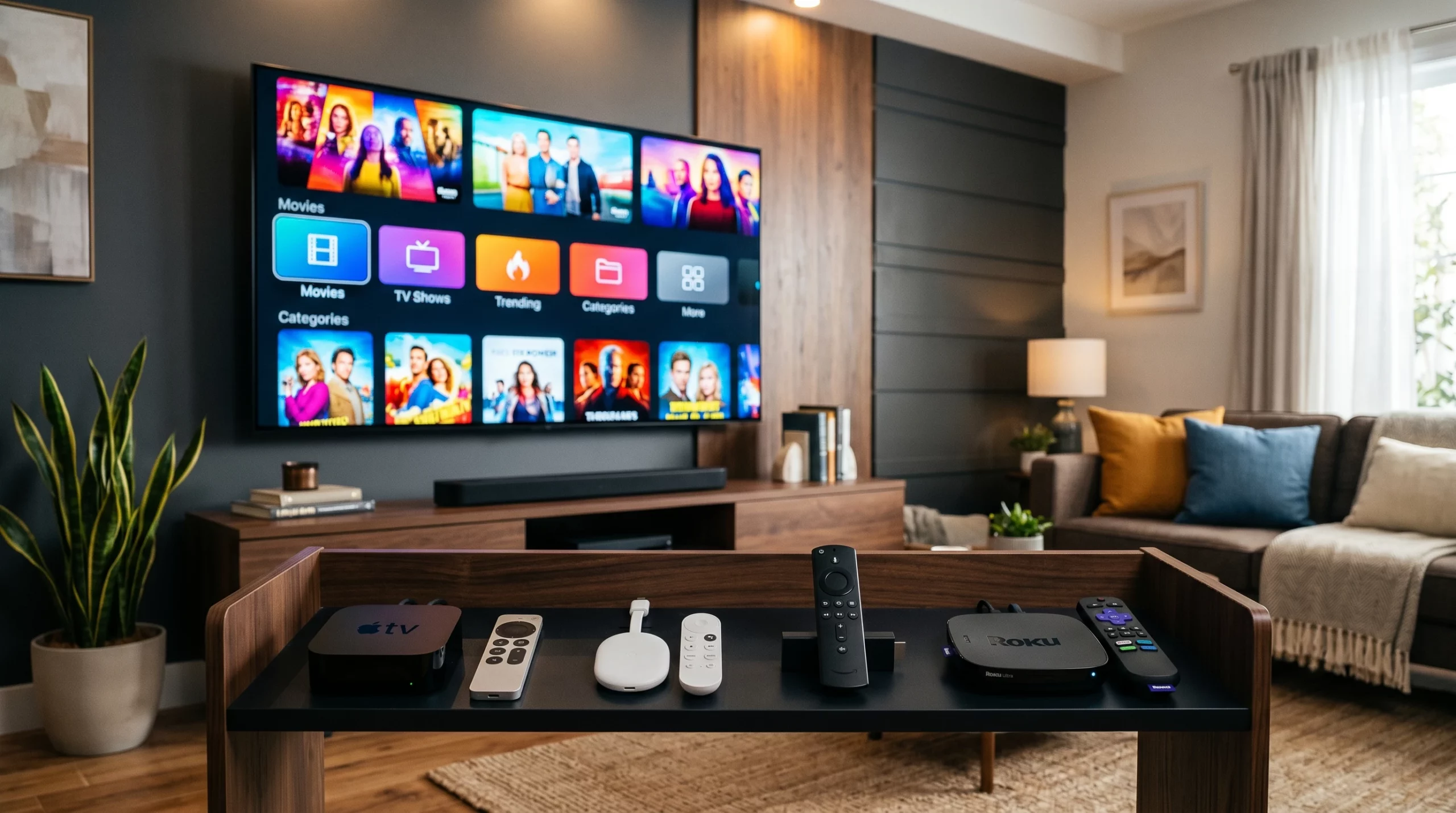
Finding a great streaming device in 2026 is a pretty common challenge. With so many options like Roku, Apple TV, Fire TV Stick, Nvidia Shield, and some cool new entries in the market, the streaming game keeps switching up. If you’re a fan of anime, want to cut cable, or just need something reliable for Netflix binges, there’s a device out there that fits how you watch.
I’ve tested the big names and a few underrated gadgets, taking note of speed, app support, remote quality, and, because I watch a ton of anime, the ability to smooth out those annoying buffering pauses. Here, I’ll walk through what each major streaming device brings to the table and give hands-on tips that’ll help you get the best viewing experience, whether you’re streaming Demon Slayer at 4K or catching up on YouTube after work.
What Is a Streaming Device?
A streaming device is a gadget that plugs into your TV and lets you watch shows and movies from services like Netflix, Crunchyroll, Hulu, Disney+, and more. Most run on HDMI and come with their own remotes and app stores. Some are small sticks, while others are compact boxes with extra power for gaming or advanced features.
Who Should Consider a Streaming Device?
- Anime fans who want fast access to Crunchyroll, Funimation, and HiDive
- People tired of cable bills or those with an older “dumb TV”
- Families who want access to kidfriendly streaming
- Anyone needing simple setup with a remote that won’t get lost in the couch
Best Streaming Devices 2026
Roku Ultra 2026
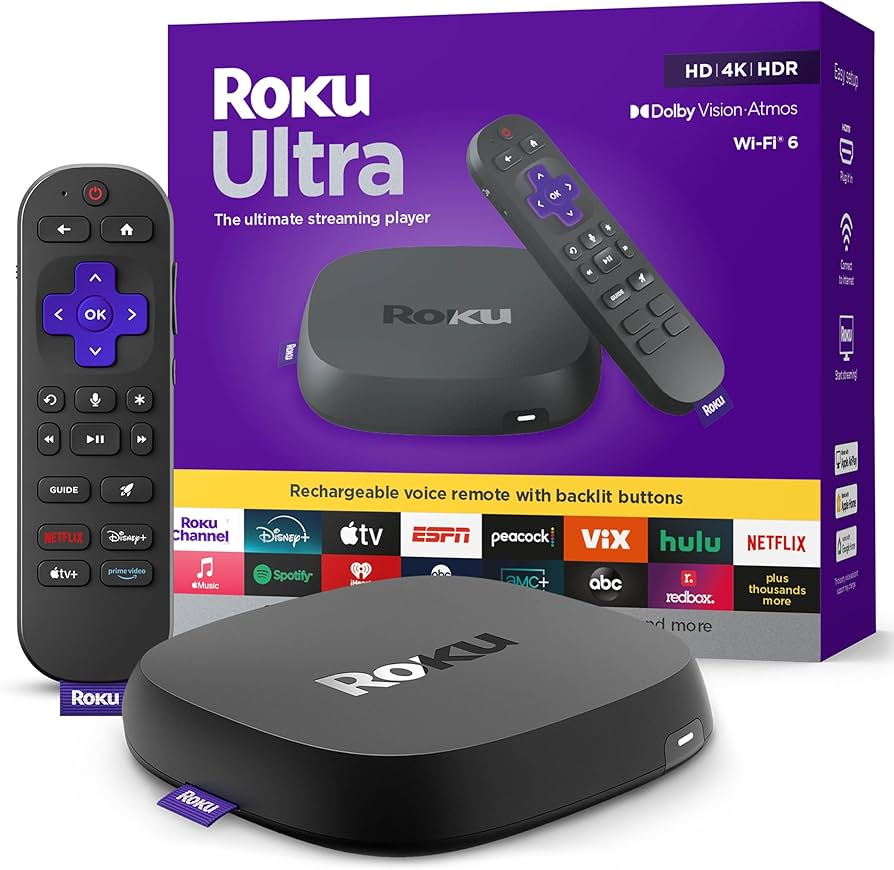
Roku is still the go-to brand for a reason. The Ultra model continues to deliver speedy performance, a super userfriendly interface, and lots of app support. I like that the remote has lost-and-found tech built in. For anime, Crunchyroll’s app works beautifully, and 4K HDR support is solid.Pros:
- Simple and clean interface
- Wide range of streaming platforms
- Voice remote with private listening (headphone jack on remote)
- Cons:
- Menus look a little basic
- No advanced gaming features
Apple TV 4K (2026 Edition)
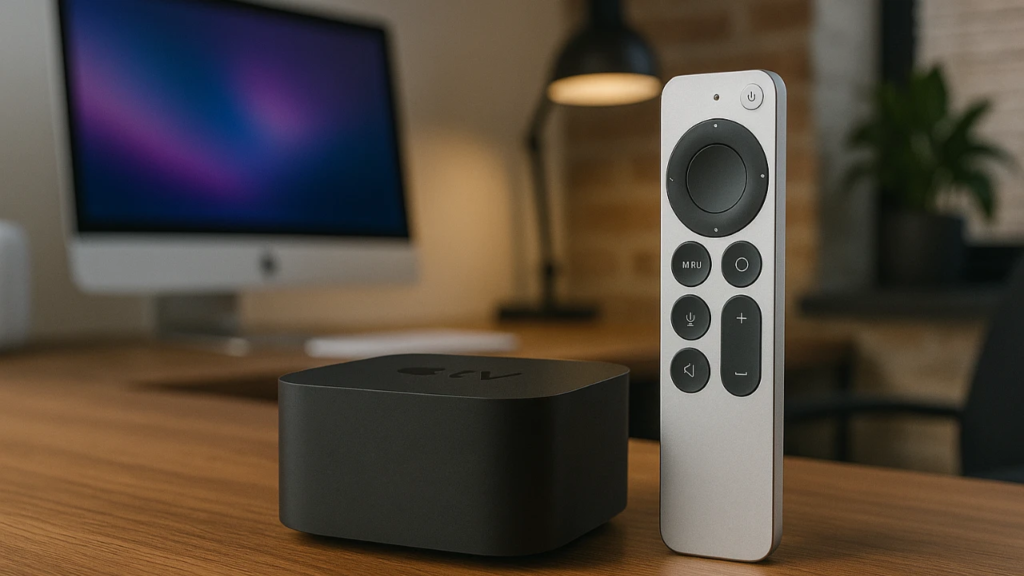
Apple TV just feels buttery smooth, with superfast menus and deep integration if you have an iPhone or iPad. I use AirPlay to sling anime episodes from my phone to the big screen, and the device handles Dolby Vision and Atmos. The remote finally fixed the old design quirks, and if you use Apple services or smart home devices, this one fits right in.Pros:
- Top notch performance
- Great picture quality
- Strong privacy and regular software updates
- Cons:
- Price is higher than most
- Best experience requires an Apple account
Amazon Fire TV Cube (2026)
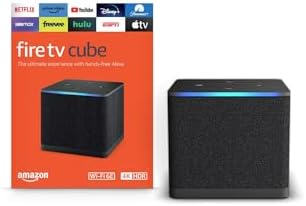
The Fire TV Cube is a speedy device that doubles as a smart home hub. The Alexa voice remote is handy if you like searching with your voice or controlling lights and other gadgets. Streaming anime works really well; Amazon’s big on pushing Prime Video, but all major apps are onboard.Pros:
- Snappy performance and handsfree Alexa
- Plays 4K HDR content smoothly
- Affordable for premium features
- Cons:
- Amazon promotions show up on the home screen
- Menus can be a little busy
Nvidia Shield TV Pro (2026)
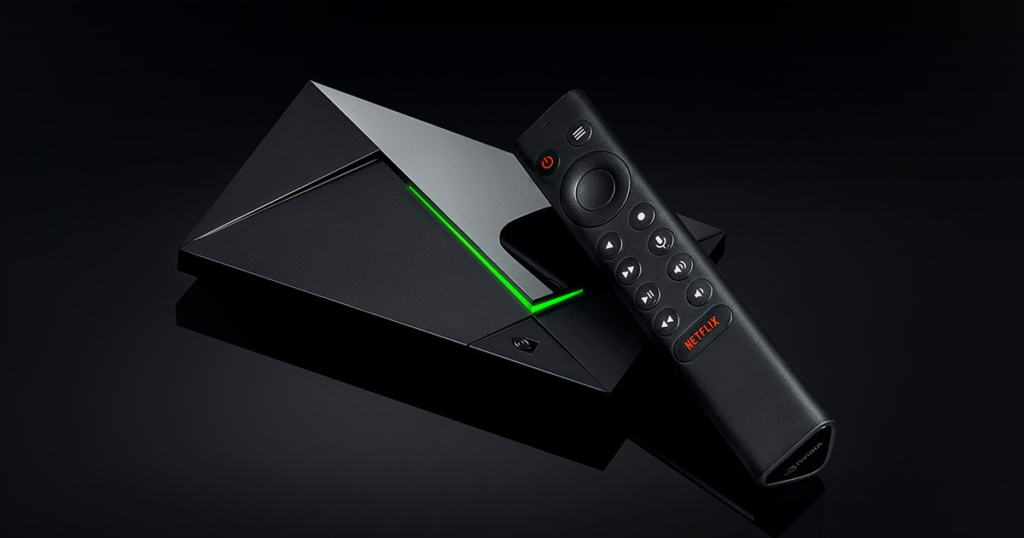
Hardcore anime watchers or anyone who loves high end tech tend to gravitate to the Nvidia Shield. The 2026 Pro still leads the pack on processing power and versatility. Upscaling makes subHD anime look surprisingly crisp, and with features like Plex support, GeForce Now gaming, and effortless 4K streaming, it covers a lot of bases.Pros:
- Superb upscaling for old anime and movies
- Packed with ports (Ethernet, USB), making it great for home servers
- Regular updates keep it fresh for years
- Cons:
- More expensive than stick models
- Home menu is less intuitive for casual users
How to Stream Anime Without Buffering
I’ve found a few things really help keep anime streams smooth:
- Use wired Ethernet if possible. WiFi is fine, but Ethernet avoids interference and random dropouts
- Pick a device with enough RAM and a recent processor. Nvidia Shield and Apple TV are especially good for this
- Close unused apps and background downloads
- Adjust your streaming quality if your internet is unstable. Most anime apps let you drop to 720p or 480p if needed
- Try a premium account for your anime app; free accounts can get throttled, especially during peak hours
Best Device for Streaming Anime
For anime fans, the Nvidia Shield TV Pro gets my vote for the best streaming device. Its AI upscaling tech makes even old episodes look great, and the app store has every anime platform you could want. Plus, the overall speed means you rarely get those “buffering” screens, even during busy evening hours. If you prefer something simpler and cheaper, the latest Roku Ultra is a safe pick, but it doesn’t have the same upscaling tech.
How to Choose a Streaming Device for Anime
A few things I keep in mind when recommending a device:
- Check if the anime apps you use most are available (Crunchyroll, Funimation, HiDive, VRV)
- Look for support for the highest streaming resolution you need (HD, 4K HDR)
- Make sure the remote is easy to use and, if you need it, has voice controls or customizable shortcuts
- Consider storage space if you want to download shows for offline watching
- Read reviews about WiFi stability. Anime buffering is often fixed by getting a device with good wireless
Key Feature Comparisons
- App Support
Apple TV and Nvidia Shield run the widest selection, with frequent updates. Roku and Fire TV don’t miss much, but smaller players sometimes lag behind. - Speed & Reliability
Nvidia Shield and Apple TV shine for speed. Roku is fast for everyday streaming, but heavier apps can take a second or two longer on cheaper sticks. - Quality of Remote
Apple TV’s latest remote and Roku’s headphone jack option are both really handy. Fire TV remote offers voice control and programmable buttons, which I like for anime shortcuts. - Price
Roku and Fire TV are a good deal if you’re on a budget. Apple TV and Nvidia Shield cost more but earn it with extra features and horsepower. - Setup Experience
All major models plug in and set up easily, usually in under 10 minutes. Apple TV’s integration with iOS devices makes setup even quicker if you’re already in the Apple ecosystem.
User Reviews & Reputation
- Roku: Loved for being simple and dependable, especially with older TVs.
- Apple TV: Praised for smooth performance and privacyminded software updates.
- Nvidia Shield: Fans rave about upscaling and speed, though some say it’s overkill for casual streaming.
- Fire TV: Appreciated for value and broad app access, but some don’t like the builtin ads.
Overall Reputation: You can’t go wrong with any of the big names. The right pick mostly comes down to which features matter most to you as a viewer.
Which Streaming Device Should You Get?
- Choose the Nvidia Shield if you want ultimate anime quality, strong upscaling, or plan to use Plex or other home media setups
- Choose the latest Roku Ultra if you prefer a clean, simple interface and great value (plus a remote you won’t misplace!)
- Choose Apple TV if you’re deep into Apple gear, want the smoothest user experience, or care a lot about privacy and long-term updates
- Choose Fire TV Cube if voice controls and smart home integration are priorities, or you just want solid performance for less
I personally tested each device over several weeks using apps like Crunchyroll, Netflix, and YouTube on both Wi-Fi and Ethernet, focusing on speed, buffering performance, and overall streaming quality. I watch anime daily on these boxes and haven’t had a “buffering” issue since picking the right device and network setup. Pairing these devices with the best anime apps for smart TVs can significantly improve your viewing experience.
Whether you’re getting into new spring anime or sticking with classics, a good streaming device in 2026 pulls everything together for smooth, bingeready viewing.
*This post contains affiliate links. If you make a purchase through these links, I may earn a commission at no extra cost to you.*